
Skills
Skills are software for AI agents. Just like your team builds internal tools and libraries, you build skills to extend what your agents can do — enforce coding standards, follow internal deploy pipelines, generate reports in your company format, connect to internal APIs, or anything else your workflows require.
Rebyte manages the complete skill lifecycle so your team can focus on building, not on infrastructure.
Skill Lifecycle
Section titled “Skill Lifecycle”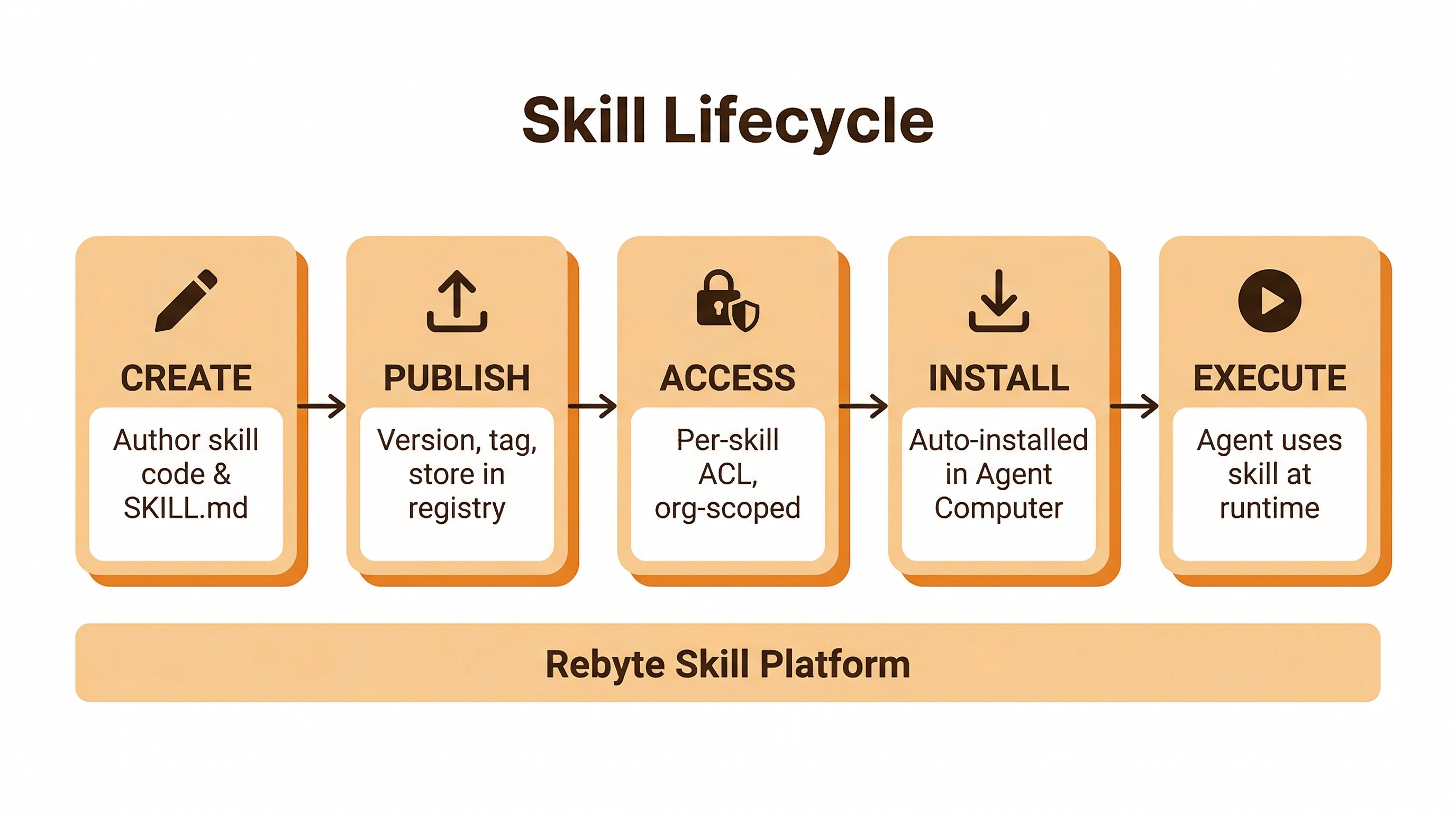
Create
Section titled “Create”A skill is a directory with a SKILL.md file — the instructions an agent follows when the skill is invoked. Skills can also include code, binaries, templates, or any files the agent needs.
my-skill/ SKILL.md # Instructions for the agent bin/ # Optional: CLI tools or scripts templates/ # Optional: file templatesNo special framework, no SDK, no build step. If you can describe it in a markdown file and package supporting files alongside it, you can build a skill.
Publish
Section titled “Publish”Each publish creates an immutable version. You can view the full version history, compare any two versions, and roll back instantly. Published skills are stored in the Rebyte skill registry and distributed automatically.
Access control
Section titled “Access control”Skills are scoped to your organization by default. The creator controls visibility and ACL:
| Setting | Options |
|---|---|
| Visibility | private (creator + ACL only) or public (all org members) |
| ACL | Per-user grants, managed by the creator |
| Publishing | Any org member can create; creator controls rollback and visibility |
No skill is accessible outside your organization. Team skills are invisible to other organizations.
Install
Section titled “Install”When a task starts, Rebyte automatically installs the requested skills into the Agent Computer. No manual setup, no pre-configuration. The agent has the skill available the moment it needs it.
Execute
Section titled “Execute”The agent invokes skills during task execution. Skills have full access to the computer’s tools — terminal, file system, browser, git — so they can do real work, not just provide instructions.
Team Skills
Section titled “Team Skills”Team skills are the primary way enterprises customize agent behavior. They are private, versioned, access-controlled, and pinned — tasks always use the latest version at creation time.
Examples of team skills:
- Coding standards — enforce your team’s style guide, linting rules, and review checklist
- Deploy pipeline — follow your internal CI/CD process step by step
- Report generation — produce reports in your company’s format and branding
- Internal API access — connect to internal services with the right auth and conventions
- Onboarding — set up new repos with your team’s boilerplate, configs, and tooling
Built-in Skills
Section titled “Built-in Skills”Rebyte-maintained skills for common tasks: deep research, stock analysis, spreadsheets, presentations, data analysis, browser automation, image generation, podcast production, and more.
Built-in skills are always available and require no setup.
Public Skills
Section titled “Public Skills”Open-source skills from GitHub. The built-in Skill Installer discovers and installs them into the Agent Computer automatically at runtime. Point to a GitHub repo and the agent has the skill — no pre-configuration needed.